
-1.png)
When something breaks, the first question everyone asks is: what's actually impacted?
Not "which alert fired." Not "which SLO is burning." The real question (the one that matters to your team, your stakeholders, and your on-call engineer at 2am) is: how bad is it, and what does it affect? Today, answering that usually means tab-hopping between alert dashboards, incident trackers, and SLO reports, trying to piece together a picture that nobody has in one place. That's time you don't have during an incident.
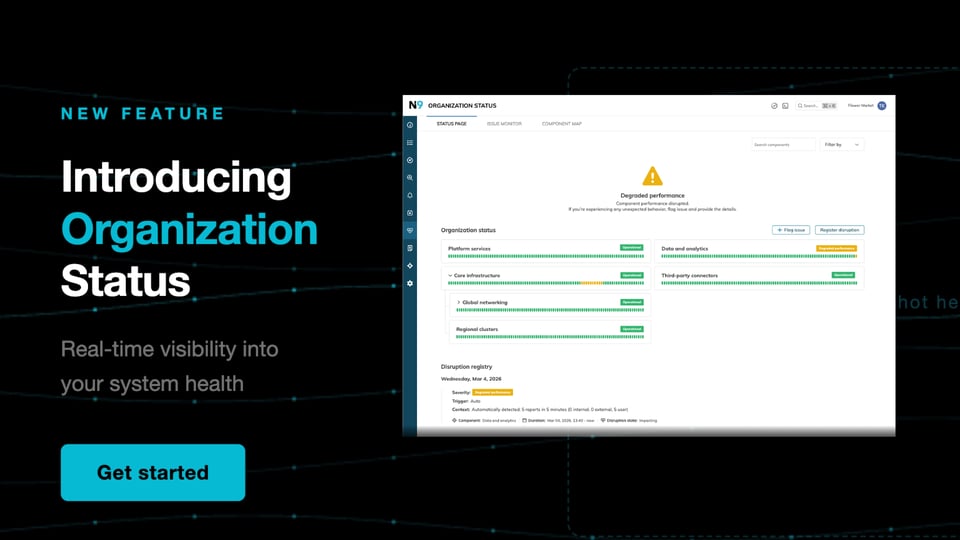
One place to see the health of your entire organization.
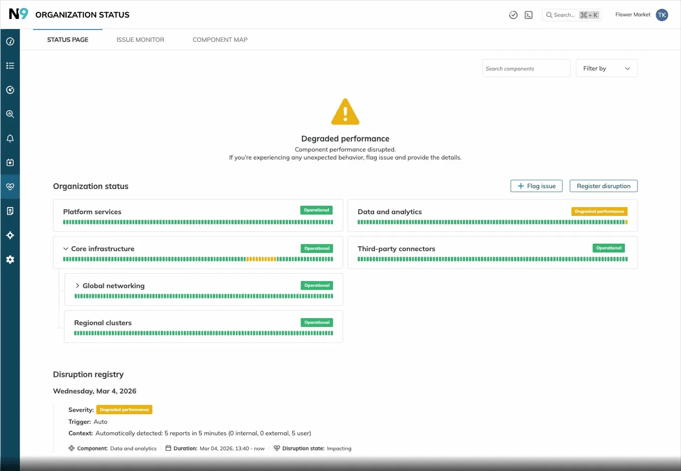
Organization Status gives your team a single, real-time view of system health, translating SLO alerts, external telemetry signals, and user-flagged issues into a clear visual indicator everyone in your organization can actually understand: green, yellow, or red.
Whether you're an SRE triaging an incident or a VP trying to understand what's affecting users, you're looking at the same source of truth.
Why it matters
Accessible to everyone, not just engineers. SLOs and error budgets are powerful, but they're not always easy to communicate up the chain. Organization Status distills complex reliability data into three color statuses that anyone in your organization can read at a glance, no knowledge of burn rates or alert policies required. Your support team, your product managers, your leadership, they all get the same clear picture.
The depth is there when you need it. For technical users, it doesn't stop at green/yellow/red. Click into any component to see its 90-day history, what triggered a status change, and the SLOs driving it. Engineers can drill straight through to the underlying SLO data and alerts without leaving the page.
Impact awareness, automatically. When a child component degrades, its status rolls upstream through the hierarchy immediately. No one has to update a spreadsheet or ping a channel. The picture updates itself.
Faster decisions. Because status is grounded in your actual SLO signals, you're triaging based on real user impact, not alert noise. Filter by status, search by component, or filter by team label to zero in on what matters to you.
How it works
Organization Status lives inside Nobl9 alongside your SLOs, error budgets, and alerting policies. It's built around three views:
Status page: real-time health across all your components, with a 90-day history. Components can be nested to reflect your actual org or product structure, and filtered views can be bookmarked or deep-linked so teams can save the slice of the page that's relevant to them.
Impact monitor: a dedicated view for admins to track all incoming issues, including user-flagged issues, and manage active disruptions.
Component map: an admin tool for building and maintaining the component hierarchy and linking SLOs.
Status changes happen automatically when SLO alerts fire, or can be registered manually by admins. Non-admin users can also flag issues they're observing, and if enough flags come in within a short window, the system can trigger a status change automatically.
Three statuses. Simple:
- Operational: The component is performing as expected.
- Degraded performance: The performance is sub-optimal. Users may encounter slow response times or partial feature unavailability.
- Major outage: Significant component interruption. Core functionality is unavailable or completely unresponsive.
When a disruption is cleared, statuses recalculate automatically based on whatever's still active.
What makes it different
Most status pages show you that something is down. Organization Status tells you why, because it's driven by SLOs.
Status isn't set by arbitrary thresholds or manual updates — it's determined by your SLO alerting. That means when something turns red, it reflects an actual reliability commitment being breached, with the SLO data to back it up. It's designed to model how your organization actually works: flexible component structures, nested hierarchies, team labels, and integrations with the incident tooling you already use.
Get access
Organization Status is available to all Nobl9 enterprise users. Log in and try it out, we'd love to hear what you think. We're actively building out the feature and your feedback helps shape where it goes next. Reach out to your Nobl9 contact or talk to our team to share what's working and what else would be valuable.
Share:








Do you want to add something? Leave a comment